Creating an 80s-style AI image sounds simple until you actually have to explain the look you want.
You know the 80s look you want, but you don’t know how to describe it to AI. Instead of guessing the perfect prompt, find a retro visual reference, study the vibe, and use it to guide your own AI creation.
You may already have the image in your mind: warm film grain, slightly faded colors, an old convertible, retro sunglasses, classic fashion, sunset lighting, or an elegant magazine-style portrait.
But when it is time to write the prompt, “make it look 80s” suddenly feels too vague.
That is because visual styles are often much easier to recognize than describe.
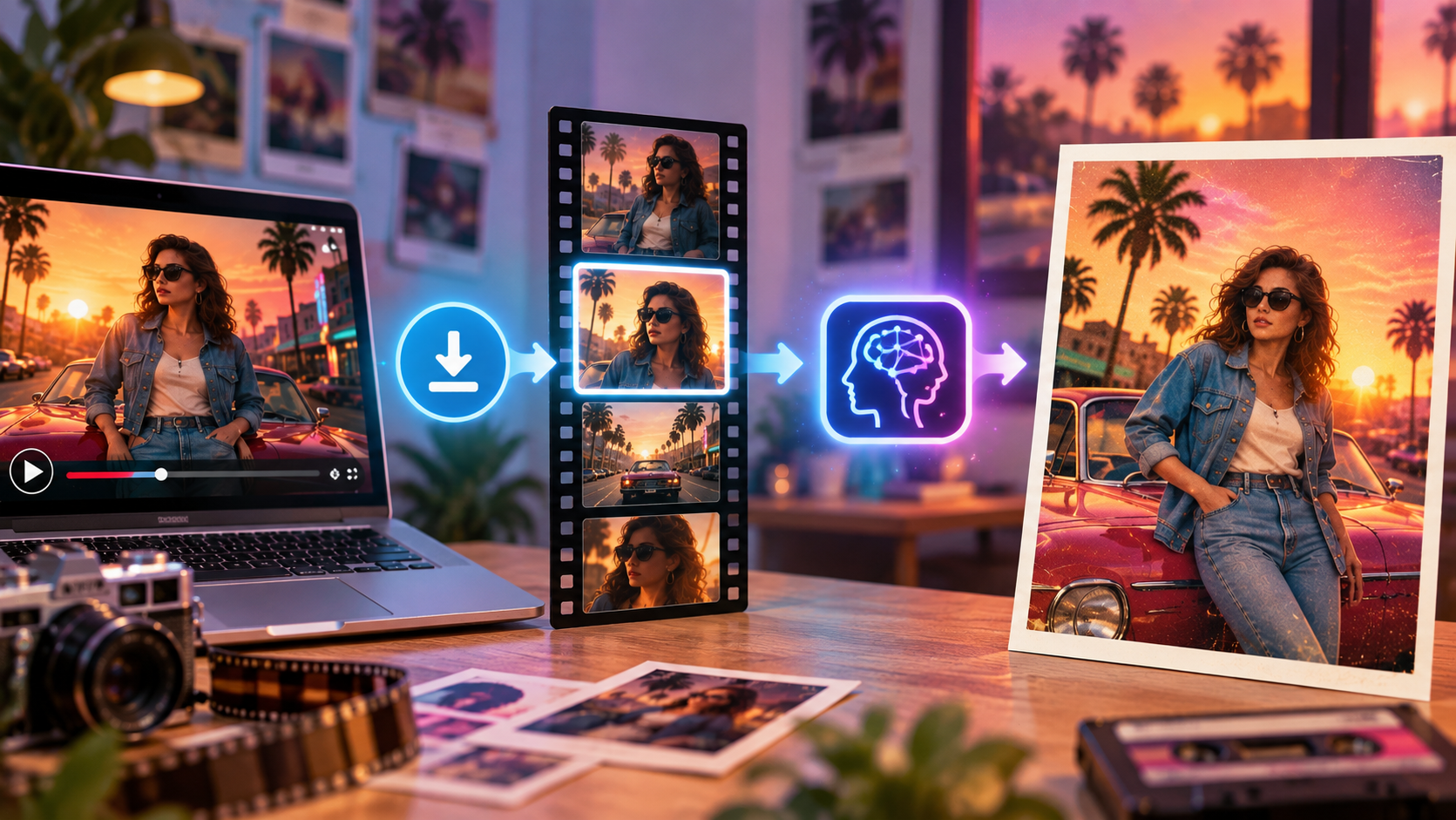
Instead of trying to explain every detail from memory, you can start with a visual reference. Find a Retro, Vintage, or Elegant Retro moment that matches your idea, save a permitted video reference using VdoSaver, study the visual style, and then use a suitable frame to guide your AI prompt.
The workflow is simple:
Find the vibe → Save the reference → Study the style → Give AI direction → Create something original
The goal is not to copy someone else's content.
The goal is to understand the lighting, colors, texture, composition, and mood you like and then transform those ideas into your own visual.
Why Are 80s-Style Images Trending Again?
Retro trends rarely disappear completely.
They return in new forms.
The 80s aesthetic has become popular again across social media, fashion campaigns, music artwork, advertisements, posters, photography, and AI-generated images.
However, today's Retro visuals do not always look exactly like something created in 1985.
Modern creators often combine nostalgic elements with contemporary photography and design.
For example:
80s film photography + modern fashion
Vintage colors + minimalist composition
Elegant Retro styling + cinematic lighting
Analog texture + modern product photography
This combination creates a nostalgic feeling without making the visual look outdated.
What Makes an Image Feel Like the 80s?
There is no single 80s style.
A vintage fashion photograph from the decade can look completely different from an arcade poster, yet both can clearly feel Retro.
Some common visual elements include:
Warm analog film tones
Subtle film grain
Slightly faded colors
Classic cars
Retro fashion
Vintage sunglasses
Old diners
Sunset lighting
Chrome details
Flash photography
Geometric patterns
VHS-inspired texture
Neon pink and blue
Purple gradients
Editorial studio lighting
You do not need to put all of these elements into one image.
Usually, two or three strong visual signals are enough to create the desired mood.
The Real Problem: You Know the Look but Cannot Explain It
Imagine you are scrolling through videos online and see a beautiful scene.
There is an old convertible parked beside a coastal road.
The sun is setting behind it.
The colors look slightly faded.
There is subtle analog grain.
The overall scene feels elegant rather than overly neon.
You immediately think:
“This is exactly the 80s vibe I want.”
Then you open your AI image generator and write:
Create an 80s-style image.
The result may show neon grids, arcade machines, purple skies, or Synthwave graphics.
Technically, those are also 80s-inspired.
But they are not the visual you had in mind.
The problem is not necessarily the AI.
The phrase “80s style” covers too many different visual directions.
That is where references can help.
Why Visual References Can Improve AI Images
A visual reference communicates information that might otherwise require several sentences.
It can show:
Lighting
Color palette
Mood
Camera angle
Composition
Texture
Fashion direction
Background treatment
Overall era
For example, instead of trying to explain:
Use slightly faded warm colors, soft sunset light, subtle analog film grain, a sophisticated editorial mood, and understated 80s styling.
You can provide a reference containing those characteristics.
Your prompt can then concentrate on what you actually want to create.
For example:
Use the reference only for its warm analog mood and elegant retro styling. Create an original scene featuring a woman outside an old cinema at sunset with sophisticated 1980s fashion and subtle film grain.
The reference communicates the visual language.
The prompt communicates the new idea.
How VdoSaver Fits Into This Creative Workflow
A lot of visual inspiration today appears inside videos rather than static images.
You might discover your ideal Retro aesthetic inside:
Fashion edits
Travel videos
Vintage-style reels
Classic-car videos
Retro interior showcases
Cinematic short videos
Photography clips
Music-inspired visuals
Design showcases
Sometimes the exact look you want appears for only a second or two.
When the video is publicly available and you have permission to save it, keeping a reference can make it much easier to study later.
A simple workflow could look like this:
Step | What to Do |
|---|---|
1 | Find a Retro or Vintage visual that inspires you |
2 | Copy the supported public video link |
3 | Save the permitted video reference |
4 | Identify the frame that captures the style |
5 | Study its colors, lighting, and texture |
6 | Use that visual as AI reference material |
7 | Write a prompt around your own idea |
8 | Generate an original image |
The downloading step is only the beginning.
The real creative work happens when you understand why the reference looks good.
From Video Reference to AI Image
Sometimes the perfect reference is not a photograph.
It is one frame inside a video.
For example, you might like:
A particular sunset
A retro room
An outfit
A classic vehicle
A certain lighting style
A vintage color combination
A cinematic camera angle
If you already have a permitted video file, you can select a suitable visual moment and turn it into a static reference.
VdoSaver also provides browser-based utilities through its online video tools, which can be useful as part of a video workflow.
This creates a simple process:
Online inspiration → Saved reference → Selected frame → AI reference → Original creation
Example 1: Creating an Elegant 80s Fashion Portrait
Suppose you want to create a fashion image.
You want it to feel like an old editorial photograph, but you do not want the typical bright neon Synthwave look.
Your reference contains:
Soft studio lighting
Warm film tones
Elegant clothing
Minimal background
Slightly faded colors
Subtle analog grain
Instead of simply writing:
Create a retro woman.
Try giving AI a clearer direction.
Example Prompt
Create an original elegant 1980s editorial fashion portrait with warm analog film tones, subtle grain, soft studio lighting, sophisticated styling, and a clean magazine-inspired composition. Keep the look refined rather than overly neon.
The result now has a much clearer visual direction.
What Is Elegant Retro?
Retro does not always have to be loud.
A common interpretation of the 80s is:
Neon + chrome + grids + purple + electric blue
That can work very well for some designs.
But there is another direction:
Elegant Retro.
Elegant Retro uses nostalgia in a more refined way.
It may include:
Muted colors
Warm film tones
Classic tailoring
Sophisticated poses
Minimal backgrounds
Analog photography
Soft studio lighting
Vintage accessories
Subtle period details
Clean editorial composition
The result still feels nostalgic, but it does not look overly theatrical.
This style works especially well for:
Fashion photography
Beauty campaigns
Lifestyle content
Posters
Product imagery
Social media creatives
Editorial visuals
Brand mood boards
Example 2: Creating a Vintage Road-Trip Image
Imagine finding a beautiful video showing:
A classic convertible
An open coastal highway
Warm evening sunlight
Slightly faded colors
Analog film texture
You love the visual atmosphere but do not want to reproduce the exact location or composition.
Instead, use the broader aesthetic.
Example Prompt
Create an original cinematic coastal road-trip scene with an elegant 1980s travel aesthetic. Include a classic convertible, warm golden-hour sunlight, slightly faded analog colors, subtle vintage film grain, and a spacious realistic composition.
The final image can have the same emotional direction without reproducing the original visual.
Example 3: Creating a Retro Café Scene
Another popular Retro aesthetic is the classic diner or café.
You might find a reference containing:
Chrome stools
Warm lamps
Vintage counters
Checkered flooring
Muted red seating
Soft analog texture
Instead of recreating the café, identify what creates the mood.
Then write:
Create a realistic café photograph with elegant retro influences. Use warm amber lighting, subtle vintage diner details, muted red accents, soft analog film texture, and sophisticated editorial photography.
Now the style becomes inspiration rather than imitation.
Retro vs Vintage vs Elegant Retro
People frequently use these terms together, but they can represent slightly different visual directions.
Style | Meaning | Typical Visual Feel |
|---|---|---|
Retro | A modern creation inspired by an older era | Nostalgic styling and period-inspired details |
Vintage | Something designed to appear genuinely aged | Film grain, faded colors, analog photography |
80s Aesthetic | Specifically influenced by the 1980s | Classic fashion, neon, cars, arcades |
Elegant Retro | A refined interpretation of nostalgic design | Soft lighting, sophisticated fashion, subtle nostalgia |
Synthwave | Futuristic interpretation of 80s pop culture | Neon sunsets, grids, purple and pink tones |
Understanding these differences can improve your AI prompts.
Instead of writing:
Make this vintage.
Try:
Create an elegant retro editorial photograph with restrained 1980s styling, warm analog tones, sophisticated fashion, and subtle vintage film texture.
More precise language gives AI more useful direction.
Pinterest Can Be Useful for Discovering Retro Inspiration
Pinterest is often used as a visual discovery platform.
You may come across ideas related to:
Retro outfits
Vintage interiors
Old-school photography
80s color palettes
Classic advertising
Retro travel
Vintage hairstyles
Elegant editorial photography
Sometimes that inspiration appears inside a video Pin.
If you find a public video Pin that you are permitted to save, a Pinterest Video Downloader can help keep the video accessible while you study the visual style.
Again, the purpose should be inspiration and permitted personal reference—not copying or republishing another creator's work without permission.
Build Your Own Retro Reference Library
If you regularly create images with AI, building a small visual reference library can save a surprising amount of time.
Instead of searching for inspiration from scratch every time, organize references by visual quality.
Retro Fashion
Save examples related to:
Clothing
Hairstyles
Accessories
Makeup
Fashion photography
Editorial poses
Vintage Color Palettes
Collect examples showing:
Warm faded colors
Pastel tones
Film colors
Muted saturation
Analog photography
Retro Locations
Possible categories include:
Diners
Cinemas
Motels
Arcades
Coastal roads
Old streets
Vintage interiors
Lighting References
Create folders for:
Golden-hour lighting
Studio portraits
Camera flash
Neon lighting
Window lighting
Night photography
Now you are not just collecting images.
You are building your own visual vocabulary.
Visual References Can Also Improve Your Prompt Writing
References are useful even when you do not upload them directly into an AI tool.
Studying them teaches you how to describe images.
At first, you may only think:
“I really like this visual.”
But look more closely and you might notice:
Warm backlighting
Soft shadows
Low saturation
Shallow depth of field
Analog grain
Hard flash
Centered composition
Minimal background
Classic clothing
These become useful terms for future prompts.
Over time, you become better at translating visual ideas into words.
A Simple Formula for Better Retro AI Prompts
You do not always need extremely long prompts.
Try breaking your idea into five parts.
1. Subject
What should appear?
Example:
A woman standing beside a classic convertible
2. Era
What period should influence the image?
1980s
3. Style
What visual direction?
Elegant Retro editorial photography
4. Lighting
How should the scene be lit?
Warm golden-hour sunlight
5. Texture
What should the image feel like?
Subtle analog film grain and faded colors
Combine them:
A woman standing beside a classic convertible, elegant Retro 1980s editorial photography, warm golden-hour lighting, subtle analog film grain, slightly faded colors, and sophisticated fashion styling.
That is much clearer than:
Make an 80s image.
Reference the Vibe, Not the Exact Image
This is one of the most important parts of using visual references responsibly.
A reference should help you understand:
Which colors you like
Which lighting style works
How strong the film grain should be
Which era you are targeting
Whether the mood should feel cinematic or editorial
Whether the final image should be playful or elegant
It should not become an instruction to reproduce somebody else's exact creative work.
Better reference use:
Use a similarly warm analog color treatment.
Or:
Capture the sophisticated Retro mood and subtle film texture.
Avoid:
Copy the exact image and only change the face.
The further your own concept develops from the reference, the more useful the creative process becomes.
The Same Workflow Works Beyond the 80s
This method is not limited to Retro images.
You can use the same reference-first workflow for many visual trends.
Style | What You Can Study |
|---|---|
80s Retro | Classic fashion, cars, neon, analog photography |
Vintage | Faded tones, old photography, film texture |
Elegant Retro | Editorial lighting and refined styling |
90s Aesthetic | Flash photography and casual fashion |
Y2K | Metallic surfaces and playful digital styling |
Old Hollywood | Luxury fashion and dramatic lighting |
Film Noir | Black-and-white photography and hard shadows |
Retro Futurism | Vintage interpretations of future technology |
The aesthetic changes.
The workflow does not.
Discover → Observe → Reference → Transform → Create
Can a Video Frame Be Used as an AI Image Reference?
Many AI image tools allow users to upload an image as visual guidance.
A frame selected from your own or appropriately permitted video can therefore be useful when you want to communicate:
Lighting
Colors
Environment
Composition
Texture
General mood
However, reference-image functionality differs between AI tools.
One platform may strongly follow the reference, while another may use it only as loose visual inspiration.
Always check the controls and settings available in the AI tool you use.
What Makes a Good AI Reference?
Not every image makes a strong reference.
Choose something that clearly communicates the quality you are trying to reproduce in a new way.
Clear Lighting
Can you easily identify whether the image uses:
Warm light
Cool light
Hard flash
Soft light
Backlighting
Studio lighting?
Consistent Colors
A clear color palette makes the aesthetic easier to understand.
Strong Mood
Ask yourself:
Why did I save this image?
If the answer is simply “it looks cool,” study it more closely.
Maybe what you actually like is:
The orange sunset
The grain
The muted clothing
The camera angle
The old-fashioned environment
Once you know that, the reference becomes much more useful.
Do You Still Need a Prompt When Using a Reference?
Yes.
Think about it this way:
Reference = visual direction
Prompt = creative instruction
The reference tells AI:
“This is roughly how I want it to feel.”
The prompt tells AI:
“This is what I actually want you to create.”
Using both together can give you more control.
Should You Use One Reference or Multiple References?
Start with one strong reference.
Using too many unrelated examples can create conflicting visual directions.
For example:
Reference 1: Neon arcade
Reference 2: Elegant vintage fashion
Reference 3: Faded road-trip photography
All three may be Retro, but they represent very different aesthetics.
If your AI tool supports several reference images, choose visuals that share a similar mood.
Consistency is usually more useful than quantity.
A Quick Retro AI Workflow
Suppose you want an Elegant Retro portrait.
Step 1: Find Inspiration
Find a visual with the type of Retro atmosphere you want.
Step 2: Keep a Permitted Reference
Save the content only when you are allowed to do so.
Step 3: Pick the Best Frame
Look for:
Good lighting
Clear colors
Strong composition
Visible texture
Step 4: Analyze It
Ask:
What makes this feel Retro?
Is it:
Film grain?
Warm colors?
Fashion?
Lighting?
Background?
Camera style?
Step 5: Write Your Prompt
Example:
Create an original Elegant Retro fashion portrait with warm analog film tones, sophisticated 1980s styling, minimal studio composition, and subtle grain.
Step 6: Change the Concept
Change the:
Person
Clothing
Environment
Pose
Composition
Camera angle
Keep only the broader aesthetic direction.
That turns inspiration into something original.
Final Thoughts
Sometimes creating a better AI image does not require a longer prompt.
It requires a clearer visual direction.
Words such as Retro, Vintage, Elegant Retro, and 80s aesthetic give AI a starting point, but they can still mean many different things.
A good visual reference helps narrow that gap.
When you find a permitted Retro moment inside a supported public video, you can save the reference, identify what makes the visual interesting, choose a useful frame, and translate those characteristics into an original AI creation.
The process is simple:
Find the Vibe → Save the Inspiration → Understand the Style → Create Your Own
Because sometimes the hardest part is not generating the image.
It is finding the right way to explain what you already have in your imagination.