VdoSaver Online Video Downloader: Download Videos in HD, 4K & MP3
Online videos are everywhere from tutorials and educational clips to Reels, Shorts, interviews, social media videos, and creator content.
But when you want to save a video you own or have permission to download, installing another app or creating another account can feel unnecessary.
That is where VdoSaver online video downloader makes things easier.
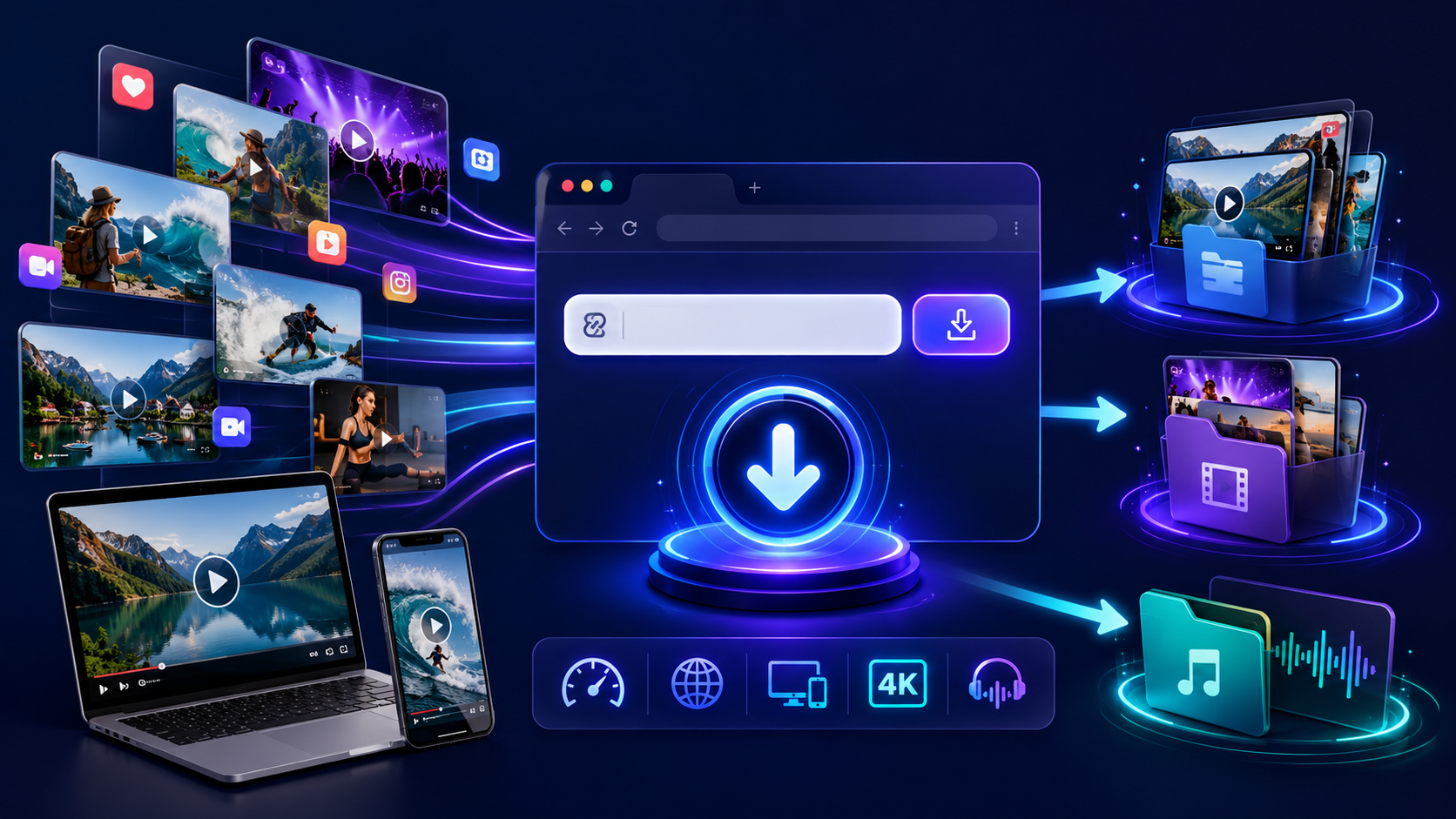
VdoSaver is a browser-based tool that helps you download supported videos from popular websites using a simple link. There is no complicated setup, no account registration, and no dedicated software required.
Copy the video link, paste it into VdoSaver, choose an available video quality or audio format, and save it to your device.
Depending on the original source, you can choose video quality from lower resolutions up to Full HD and 4K. You can also extract MP3 audio from supported videos.
Whether you are using an Android phone, iPhone, Windows PC, Mac, or tablet, VdoSaver gives you a simple way to download supported online videos.
What Is VdoSaver?
VdoSaver is a free online video downloader that works directly through your web browser.
Instead of installing different apps for different social media platforms, you can paste a supported video URL into one tool and select from the available download options.
The basic process is simple:
Copy the link → Paste it → Choose quality → Download
VdoSaver is designed for users who want a quick way to save supported public media they are legally permitted to download.
It can process content from popular platforms including YouTube, Instagram, TikTok, Facebook, Pinterest, LinkedIn, Vimeo, Dailymotion, and X/Twitter, subject to the content being accessible and currently supported.
Key Features of VdoSaver
VdoSaver brings several useful video downloading features together in one place.
1. No Software Installation
You do not need to download a desktop program just to save a video.
VdoSaver works directly inside a supported browser, making it useful if you need a video downloader without installing software.
Open the website, paste your video link, and start.
This also means there is less software to install, update, or manage on your device.
2. No Login or Registration
You do not need to create an account before using VdoSaver.
There is no registration form or social media login required for the main downloading process.
For users searching for a video downloader without login, this keeps the process much simpler.
Just bring the supported video link.
3. Download Videos Without Watermarks
For supported TikTok and Instagram content, VdoSaver provides clean download options without platform watermarks or username overlays.
This is particularly useful when downloading your own content or media you have permission to reuse.
Availability can vary depending on the platform and source.
4. Download Videos in Different Qualities
Not every user needs the same video resolution.
Someone watching on a phone may prefer a smaller file, while someone saving a high-quality video for a larger screen may want Full HD or 4K.
VdoSaver provides multiple resolution options when they are available from the original source.
These may include:
144p
360p
480p
720p HD
1080p Full HD
2160p 4K Ultra HD
The available quality depends on the original video.
If a video was uploaded only in 720p, downloading it cannot turn it into a true 4K video.
5. HD and 4K Video Downloads
For supported sources, VdoSaver can work as an HD video downloader as well as a 4K video downloader.
If the original video provides 1080p or 2160p quality, you can select the available higher-resolution version before downloading.
This gives you control over both video quality and file size.
6. Video to MP3 Audio Extraction
Sometimes you only need the audio.
For example, you may want to listen to a permitted lecture, interview, podcast-style video, or your own recorded content without keeping the full video file.
VdoSaver supports video to MP3 extraction for supported content.
Paste the video URL and select an available audio or MP3 option instead of downloading the complete video.
This can also save storage space when visuals are not necessary.
7. Works on Mobile Devices
VdoSaver is not limited to desktop computers.
It works through supported mobile browsers, making it useful as a mobile video downloader.
You can access it from:
Android phones
iPhones
Tablets
Windows PCs
Mac devices
There is no need to move to a computer every time you want to process a supported video link.
8. Unlimited Downloads
VdoSaver does not require you to create an account or wait in a daily download queue for standard downloads.
You can process multiple supported video links without a fixed daily download limit.
This is useful for users who regularly manage their own video content across different platforms.
9. Fast Link Processing
The tool is built around a simple workflow.
Once a supported video link is pasted, VdoSaver detects the source and provides the available formats and resolutions.
You do not need to manually select the platform before every download.
10. Privacy-Focused Processing
VdoSaver is designed to process video links without requiring personal account credentials.
Users should never need to enter their Instagram, TikTok, Facebook, YouTube, or LinkedIn password just to process a public supported video link.
For safer use, always access the official VdoSaver website and avoid entering unnecessary personal information into online downloading tools.
Which Platforms Does VdoSaver Support?
Platform | Supported Content | Best Use |
YouTube | Videos, Shorts | Tutorials, videos & short-form content |
Reels, Videos, Stories, Photos, Carousels | Social media content | |
TikTok | Videos, Stories | Short-form videos |
Videos, Reels | Public social videos | |
Videos, Images, Carousels | Ideas, tutorials & inspiration | |
Public Videos | Professional & educational content | |
Vimeo | Supported Videos | Creative & professional videos |
Dailymotion | Supported Videos | Online video content |
X / Twitter | Public Videos | Social media clips |
Note: Supported formats and download options may vary depending on the platform, video availability, privacy settings, and source quality.
One of the biggest advantages of VdoSaver is that you do not need a completely different tool for every supported platform.
It works as a social media video downloader for several popular websites.
Download YouTube Videos and Shorts
VdoSaver’s YouTube video downloader supports eligible YouTube video links
Copy the YouTube video URL and paste it into VdoSaver to see the available video and audio formats.
Depending on the source, you may be able to select different resolutions or an MP3 audio option.
This makes it useful when saving your own YouTube content, authorized videos, or other content you are permitted to download.
Download Instagram Reels and Videos
Instagram is filled with Reels, short videos, posts, Stories, photos, and carousel content.
VdoSaver supports multiple types of publicly accessible Instagram media through its Instagram video downloader.
To save supported content, copy its Instagram link, paste it into VdoSaver, and select from the available options.
For supported media, clean downloads without an Instagram watermark may also be available.
Download TikTok Videos Without a Watermark
TikTok videos are one of the most common types of short-form content online.
With VdoSaver’s TikTok video downloader, supported TikTok video links can be processed directly through the browser.
Copy the TikTok link, paste it into the downloader, and select the available video option.
For supported videos, VdoSaver provides downloads without the TikTok watermark or username overlay.
Remember to download or reuse only content you own or have permission to use.
Download Facebook Videos and Reels
VdoSaver can also process supported public Facebook videos and Reels.
You do not need to install a separate Facebook video downloader app.
Simply copy the public video URL and paste it into VdoSaver.
Private, restricted, deleted, or otherwise inaccessible videos may not be available.
Save Pinterest Videos, Images and Carousels
Pinterest contains more than static images.
Users can find Video Pins, Idea content, visual tutorials, inspiration, and carousel posts.
VdoSaver’s Pinterest video downloader supports eligible Pinterest videos, images, and carousel media.
Copy the Pinterest post link and paste it into VdoSaver to see the available options.
Download LinkedIn Videos
LinkedIn is increasingly used for professional videos, interviews, presentations, tutorials, product demonstrations, and industry content.
VdoSaver supports publicly accessible LinkedIn video links.
It does not require your LinkedIn login credentials for supported public content.
This can be useful when managing your own professional videos or other content you are authorized to save.
Download Dailymotion Videos
Supported Dailymotion video links can also be processed through VdoSaver.
Copy the Dailymotion video URL and paste it into the downloader to view the formats currently available for that content.
Vimeo and X/Twitter Support
VdoSaver also supports eligible content from Vimeo and X/Twitter.
As with other platforms, availability depends on the individual video, its visibility, the source platform, and current technical support.
Private or access-restricted videos should not be expected to work.
How to Download a Video With VdoSaver
You do not need technical knowledge to use the tool.
The process takes only a few basic steps.
Step 1: Copy the Video Link
Open the video or media you want to save.
Use the platform's Share option and choose Copy Link, or copy the URL directly from your browser.
Step 2: Paste the Link Into VdoSaver
Open VdoSaver and paste the copied URL into the video downloader field.
The tool will detect the supported platform and process the link.
Step 3: Choose Your Format and Quality
Once the video has been processed, check the available download options.
Depending on the source, you may see:
Standard-quality video
HD video
Full HD video
4K video
MP3 audio
Choose the format that works best for you.
Step 4: Download the File
Select your preferred option and download the file to your device.
That's it.
You do not need to install separate downloader software or create an account.
How to Choose the Right Video Quality
The highest resolution is not always the right choice.
The best quality depends on what you plan to do with the video.
360p
Suitable when file size and mobile data usage matter more than picture quality.
480p
A balanced option for basic viewing with a relatively small file size.
720p HD
A good option for phones, tablets, and everyday offline viewing.
1080p Full HD
Useful for larger screens and users who want clearer picture quality.
2160p 4K
Ideal when the original source offers 4K and you want the highest available resolution for a compatible display.
Remember that higher-quality videos usually require more storage and take longer to download.
How to Download Videos on Android
Using VdoSaver on Android is straightforward.
Open the video on its original platform.
Copy the video link.
Open VdoSaver in Chrome or another supported browser.
Paste the URL.
Select an available video quality or audio format.
Download the file.
The downloaded file will normally appear in your browser's downloads or your device's download folder.
You do not need a separate Android downloader app for the browser-based workflow.
How to Download Videos on iPhone
You can also use VdoSaver through Safari or another supported browser on iPhone.
Copy the supported video link, open VdoSaver, paste the URL, and select the available download option.
Because the downloader works through the browser, you can use its web version without installing dedicated downloader software.
Why Use a Browser-Based Video Downloader?
Traditional video downloader programs often require installation, updates, device permissions, and additional storage.
A browser-based video link downloader removes many of those steps.
With VdoSaver, the main workflow is simply:
Find the video → Copy the link → Paste it → Choose a format → Download
This makes it useful for both occasional users and people who regularly manage authorized social media content.
When Can VdoSaver Be Useful?
There are several legitimate reasons someone may need to save online video content.
Save Your Own Social Media Content
Creators often publish the same content across multiple platforms.
Downloading a clean copy of your own video can make content management easier.
Keep Educational Material for Offline Reference
Students and educators may need authorized tutorials, demonstrations, or open educational content where downloading is permitted.
Save Professional Content You Own
Businesses and social media managers may want copies of their own campaign videos, presentations, or brand media.
Listen to Audio Without the Video
If visuals are unnecessary, converting supported video content to MP3 can make lectures, interviews, and other authorized audio easier to listen to.
Prepare Content Before Travelling
Permitted offline media can be useful when travelling somewhere with weak or expensive internet access.
Tips for Better Video Downloads
For smoother downloads, keep these simple tips in mind:
Copy the complete original video URL.
Make sure the video is publicly accessible.
Choose a resolution based on your device and storage.
Use a stable internet connection for large HD or 4K files.
Check that your device has enough free storage.
Select MP3 if you only need the audio.
Keep your browser updated.
Avoid entering social media passwords into third-party download forms.
Download only content you own or have permission to save.
Respect the terms and copyright rules of the original platform.
What If a Video Link Is Not Working?
Sometimes a video may not be available for downloading.
Common reasons include:
The video is private
The content has been deleted
The URL is incomplete
The content is restricted
The source platform recently changed its system
The particular media type is not currently supported
The video requires account or subscription access
Start by checking that you copied the complete public URL.
If the link is correct but no download option appears, the individual video may not currently be supported.
Why Is 4K or 1080p Not Available?
VdoSaver can only provide qualities that are available from the original source and technically supported.
If a creator uploaded a video in 720p, you cannot create a genuine 4K version simply by downloading it.
The same applies to 1080p.
Always check the original source quality before expecting a specific resolution.
Is VdoSaver Free?
VdoSaver provides its standard online video downloading service free of charge.
You do not need a paid account or credit card to use the standard browser-based downloader.
Is VdoSaver Safe to Use?
When using any online tool, good browsing habits still matter.
Use the official website, keep your browser updated, avoid unrelated or suspicious buttons, and never provide unnecessary passwords or private account information.
VdoSaver's browser-based workflow does not require your social media login credentials for supported public videos.
Is It Legal to Download Online Videos?
Whether a video can legally be downloaded depends on its copyright status, the rights given by the creator, local law, and the terms of the source platform.
VdoSaver should be used only for content you are legally permitted to download.
Examples may include:
Videos you created yourself
Content for which the creator gave you permission
Public-domain content
Content distributed under a licence that allows downloading
Your own uploaded media used for personal backup
Do not use the tool to bypass paywalls, access controls, private content, DRM, or other restrictions.
Always respect creators' rights and the rules of the platform hosting the original content.