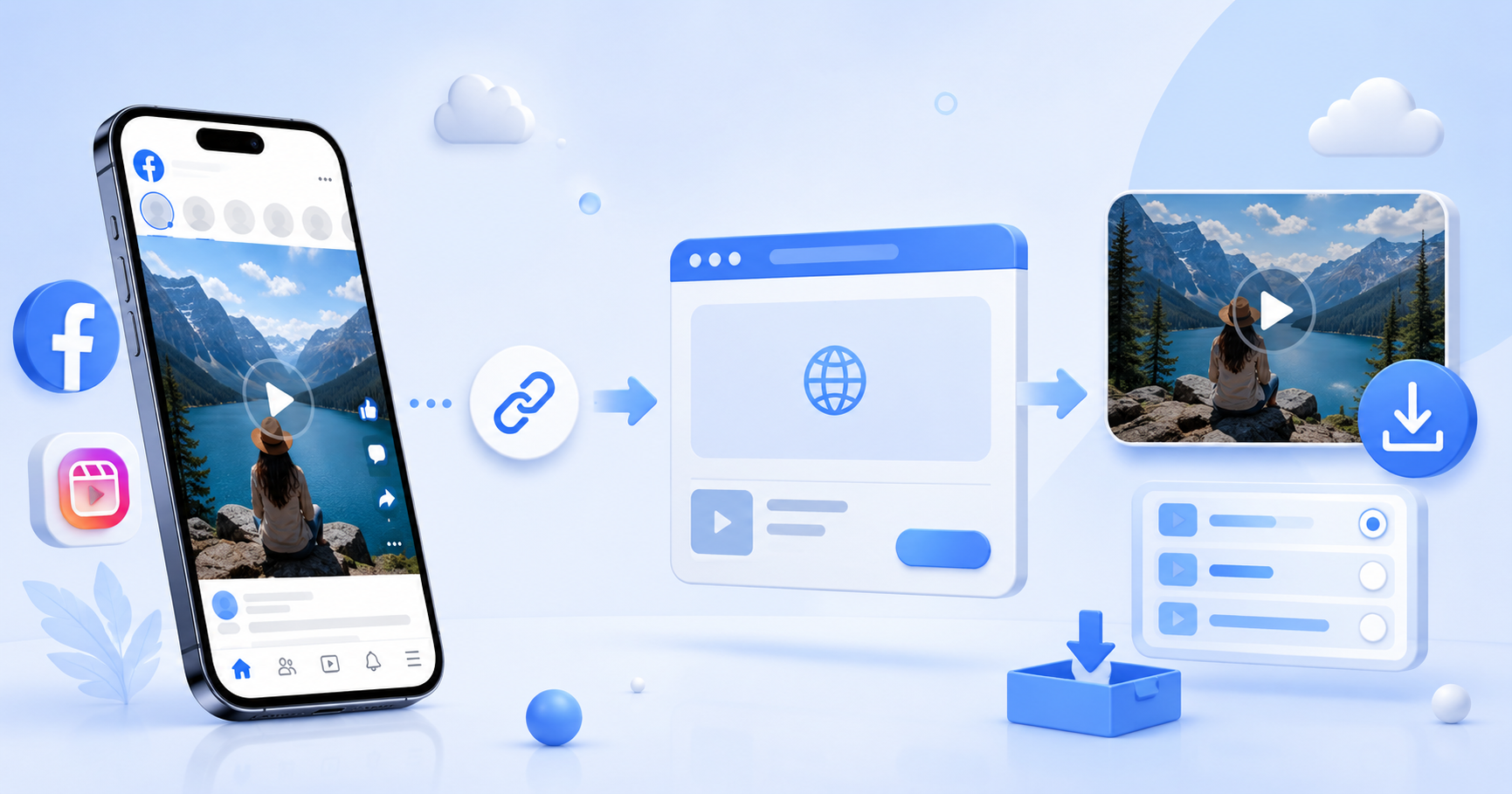
How to Download Facebook Videos & Reels in HD: Easy 2026 Guide
Found a useful Facebook video that you want to watch later?
It could be a recipe, tutorial, workout, travel video, funny Reel, educational clip, or even one of your own videos. Facebook makes it easy to save posts inside the platform, but saving a video directly to your phone or computer can be less obvious.
The good news is that you don't need complicated software.
With an online Facebook video downloader, you can copy the link of a public Facebook video or Reel, paste it into your browser, and download the available video to your device.
In this guide, we'll explain how to download Facebook videos and Reels on iPhone, Android, Windows and Mac in a few simple steps.
Quick Answer: How to Download a Facebook Video
If you just want the fastest method, here it is:
Open Facebook and find the video you want to save.
Tap Share or the three-dot menu.
Select Copy Link.
Open the VdoSaver Facebook Video Downloader in your browser.
Paste the copied Facebook link.
Tap Download.
Choose the available video quality and save the video.
That's it.
You don't need to install a separate downloader app or sign in to your Facebook account through the downloader.
What Is a Facebook Video Downloader?
A Facebook video downloader is an online tool that helps you save publicly available Facebook videos to your device.
Instead of installing additional software, you can use the tool directly from Chrome, Safari, Edge, or another modern web browser.
The process is simple:
Copy the Facebook link → Paste it into the downloader → Choose the video quality → Download
This makes online downloaders useful when you want to keep a video available for offline viewing.
Facebook "Save Video" vs Downloading a Video
There is an important difference between saving and downloading a Facebook video.
When you use Facebook's Save Video option, the post is added to your Saved section so you can find it again later inside Facebook.
Downloading creates a video file that can be stored on your device.
So if your goal is simply to remember a post, Facebook's Save option may be enough.
If you need a local copy of content you own or have permission to download, an online Facebook downloader can be more convenient.
How to Download Facebook Videos Online
Let's go through the full process.
Step 1: Find the Facebook Video
Open Facebook on your phone, tablet, or computer.
Find the public video, Reel, or Watch clip you want to save.
Step 2: Copy the Facebook Video Link
On mobile, tap Share and look for Copy Link.
Depending on the Facebook interface you see, the option may also be available from the three-dot menu.
On desktop, you can use Facebook's copy-link option or open the video and copy its URL from your browser.
Step 3: Open VdoSaver
Open the VdoSaver Facebook Video Downloader in your browser.
You will see a box where you can paste your Facebook link.
Step 4: Paste the Video URL
Paste the complete Facebook URL into the download box.
Make sure you have copied the actual video or Reel link rather than a Facebook profile or Page URL.
Step 5: Choose the Available Quality
Tap Download and wait for the video to be processed.
If multiple video qualities are available, choose the one you prefer.
Higher-quality versions usually look better but may also create larger files.
Step 6: Save the Video
Download the video to your device.
You can now access it from your browser downloads or device storage.
How to Download Facebook Reels
Facebook Reels have become one of the easiest ways to discover short videos, but sometimes you find a Reel that you want to keep for later.
You can use almost the same process as a regular Facebook video.
Open the Reel and tap Share.
Choose Copy Link, open the VdoSaver Facebook downloader, paste the Reel URL, and tap Download.
If the Reel is publicly accessible and supported, the available download options will appear.
This makes the same tool useful as a Facebook Reels downloader without requiring another app.
How to Download Facebook Videos on Android
Android users can download Facebook videos directly through a mobile browser.
1. Open Facebook
Launch the Facebook app and find the video or Reel.
2. Copy the Link
Tap Share → Copy Link.
3. Open Your Browser
Open Chrome or your preferred browser and go to the VdoSaver Facebook downloader.
4. Paste the Link
Paste the Facebook video URL into the downloader.
5. Download the Video
Tap Download and select the available quality.
The downloaded file can normally be accessed through your browser's Downloads section or your phone's file manager.
No separate Facebook video downloader app is required.
How to Download Facebook Videos on iPhone
You can also download supported Facebook videos using Safari on an iPhone.
Start by opening Facebook and copying the link of the video or Reel.
Next, open Safari and access the VdoSaver Facebook downloader.
Paste the copied URL and tap Download.
After the download begins, you can check your browser downloads and the Files app to find downloaded files.
This method is useful if you are searching for a Facebook video downloader for iPhone without installing an app.
How to Download Facebook Videos on PC or Laptop
Using a desktop computer is just as simple.
Open Facebook in Chrome, Edge, Firefox, Safari, or another browser.
Find the video and copy its link.
Then open the VdoSaver Facebook downloader, paste the Facebook URL, and select Download.
Once processed, choose the available quality and save the file.
The video will normally be stored in the Downloads folder selected by your browser.
The same process works on most Windows laptops and desktop computers.
How to Download Facebook Videos on Mac
Mac users don't need dedicated software either.
Copy the Facebook video or Reel URL and open the online downloader through Safari, Chrome, or another browser.
Paste the URL, process the video, and select your preferred available quality.
The downloaded file can then be accessed from your Mac's Downloads folder or the download location configured in your browser.
Can You Download Facebook Videos in HD?
The available quality depends on the original Facebook video and the versions available from the source.
If an HD version is available, you may be able to select it before downloading.
If the original video was uploaded in lower quality, using a downloader cannot turn it into genuine HD footage.
For that reason, choose the highest available source quality when image clarity is important.
Can You Download Facebook Videos Without Login?
For supported publicly accessible Facebook URLs, you shouldn't need to enter your Facebook username or password into VdoSaver.
You simply provide the video link that needs to be processed.
Be careful with any unrelated website that asks for your Facebook password just to download a public video.
A Facebook downloader should not need access to your personal Facebook account for a normal public-video link.
Can You Download Private Facebook Videos?
A normal online downloader is designed for publicly accessible Facebook content.
Private posts, friends-only videos, closed-group content, or videos that require account-specific access may not be available.
If a video belongs to someone else and isn't publicly accessible, respect the creator's privacy instead of trying to bypass those restrictions.
Why Is My Facebook Video Not Downloading?
Sometimes a Facebook URL may fail to process. There are several simple things you can check.
Check the Facebook Link
Go back to Facebook and copy the link again.
Make sure you have copied the video or Reel itself rather than the profile, Page, or Facebook homepage.
Check Whether the Video Is Public
Private or restricted videos may not be accessible to an online downloader.
Try opening the link normally to confirm that the content is publicly available.
Check Whether the Video Still Exists
A creator may delete a video or change its visibility after you copied the URL.
In that case, the old link may stop working.
Refresh and Try Again
Temporary browser or network problems can also interrupt the process.
Refresh the downloader, paste the URL again, and retry.
Try Another Browser
If the download doesn't start, try Chrome, Safari, Edge, or another updated browser.
Do You Need a Facebook Video Downloader App?
Not necessarily.
A browser-based downloader can be more convenient for occasional downloads because there is nothing extra to install.
You can open the website when you need it and close it when you're done.
It also means you can use the same Facebook downloader across Android, iPhone, Windows, Mac, and tablets rather than installing different apps for different devices.
Facebook Video Downloader or Screen Recording?
Screen recording can be useful in some situations, but it isn't always convenient.
You have to play the complete video while recording it, and notifications, controls, or other screen elements may appear in the recording.
An online Facebook video downloader takes a different approach.
For supported public content, you provide the video URL and download the available file directly instead of recording your screen while the video plays.
That can make the process quicker and cleaner.
What Types of Facebook Links Can You Try?
Depending on availability and privacy settings, VdoSaver can be used with supported Facebook content such as:
Public Facebook videos
Facebook Reels
Facebook Watch clips
Publicly accessible Facebook video links
If a particular link cannot be processed, first check whether it is public and whether you copied the complete URL.
Is It Okay to Download Facebook Videos?
Downloading a video does not automatically give you ownership or permission to republish it.
The safest approach is to download videos you created yourself, content you have permission to save, or content you are otherwise authorized to use.
If you want to repost, edit, distribute, or use somebody else's video commercially, make sure you have the necessary permission from the copyright owner.
Respect the creator's rights and the rules of the platform where the content was published.
Tips for Safer Facebook Video Downloads
Keep a few simple things in mind when using any online downloader.
Never provide your Facebook password just to download a public video.
Avoid installing unknown browser extensions or software when you don't actually need them.
Check that you copied the correct Facebook link before downloading.
And most importantly, only save or reuse content when you have the right to do so.
Download Facebook Videos Without the Complicated Steps
You don't need complicated software just to save an authorized Facebook video for offline viewing.
Find the public Facebook video or Reel you need, copy its link, and open the VdoSaver Facebook Video Downloader.
Paste the URL, choose the available quality, and save the video to your device.
Whether you're using an iPhone, Android phone, Windows PC, Mac, or tablet, the process stays simple: copy, paste and download.
Use the tool responsibly, respect the original creator, and enjoy your saved videos when you need them.