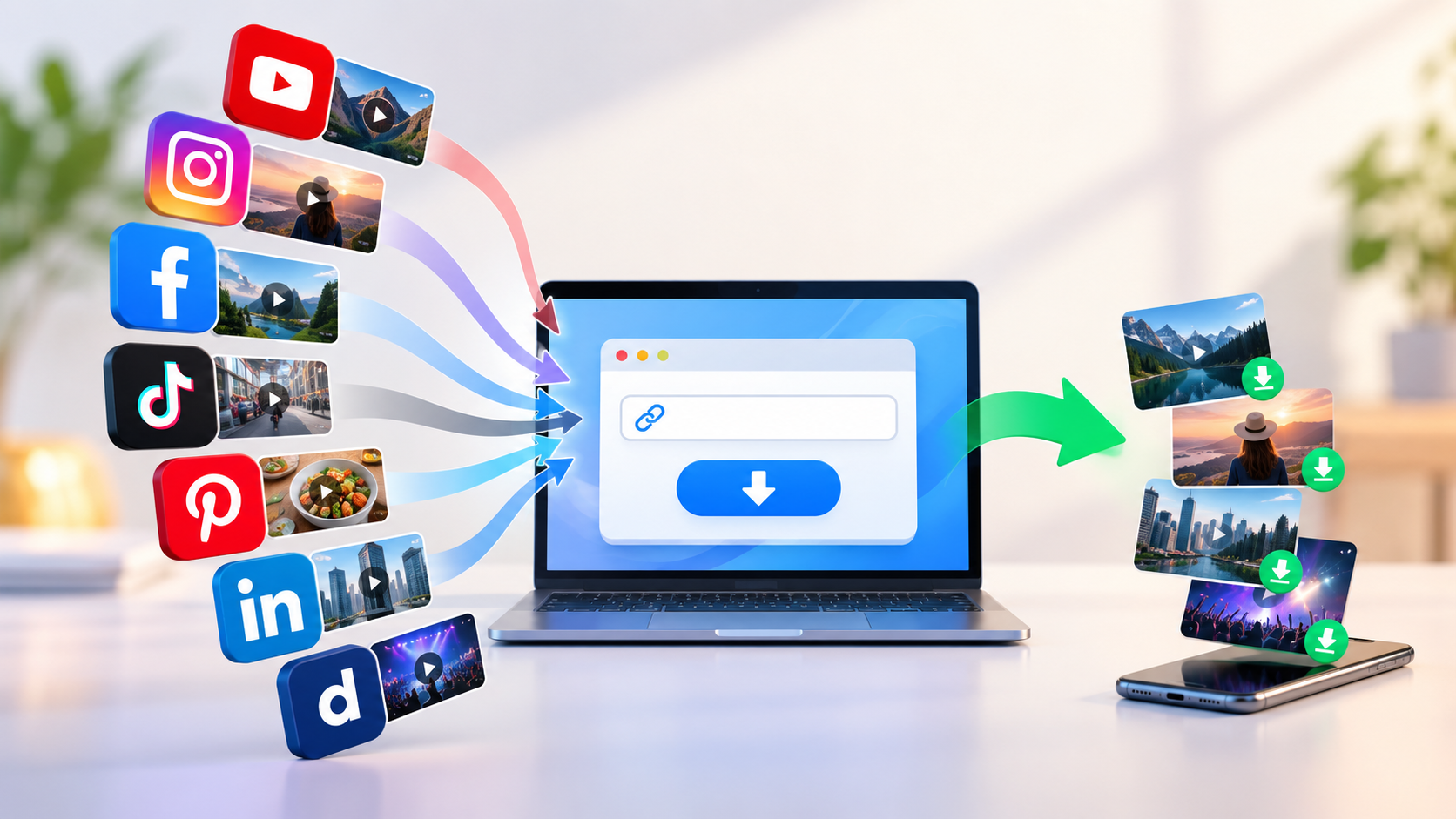
Free Video Downloader Online: Save Videos from Multiple Platforms in Seconds
Videos have become a part of almost everything we do online.
We watch tutorials to learn something new, short videos for entertainment, professional clips for industry updates, product videos while researching, and useful content that we may want to revisit later.
But there is one common problem.
The video you want to save may be on one platform today and somewhere completely different tomorrow.
Using a separate downloader for every website can quickly become inconvenient.
That is where a free online video downloader like VdoSaver can make things simpler.
Instead of installing different tools or switching between multiple websites, you can use one browser-based solution to process supported video links from different platforms.
The basic idea is simple:
Copy the link → Paste it → Choose an available option → Save
No complicated setup is required.
Why Use One Video Downloader for Multiple Platforms?
Most of us no longer watch videos on just one website.
You may watch a tutorial on YouTube, find an interesting Reel on Instagram, discover a professional video on LinkedIn, or save visual inspiration from Pinterest.
Having a different tool for every platform can make a simple task unnecessarily complicated.
A multi-platform video downloader gives you a more consistent experience.
Instead of searching for a new tool every time, you can follow the same basic process regardless of where the supported video comes from.
Popular Content You May Want to Save
Platform Type | Common Content | Why Users May Save It |
|---|---|---|
Video platforms | Tutorials, educational videos, entertainment | Offline viewing or personal reference |
Short-video platforms | Reels, clips, short tutorials | Save useful or owned content |
Professional networks | Presentations, interviews, industry videos | Learning and reference |
Visual discovery platforms | Ideas, DIY videos, inspiration | Future reference |
Social networks | Public videos and creator content | Personal offline access |
This makes an online downloader useful for students, creators, professionals, marketers and everyday internet users.
What Is an Online Video Downloader?
An online video downloader is a browser-based tool that processes a supported video URL and provides the available download options.
Instead of installing dedicated desktop software, you can usually access the tool directly through your browser.
You copy the link to the video, paste it into the downloader and select the available format or quality.
This approach can be especially convenient if you regularly switch between devices.
For example, you may discover a video on your phone but later want to access it from another device.
A browser-based tool reduces the need to install and configure different software on every device.
How to Download a Video Online with VdoSaver
Using VdoSaver is designed to be straightforward.
Step 1: Find the Video
Open the video you want to save on its original platform.
Make sure you own the content, have permission to download it, or are otherwise legally allowed to save it.
Step 2: Copy the Video Link
Use the platform's Share or Copy Link option.
If you are using a desktop browser, you may also be able to copy the video URL directly from the address bar.
Step 3: Open VdoSaver
Visit VdoSaver in your browser.
You do not need to move through a complicated setup process just to get started with the basic web downloader.
Step 4: Paste the Link
Paste your copied URL into the downloader field.
The tool processes the supported link and displays the available download options.
Step 5: Choose and Save
Choose an available format or video quality based on your needs.
Then save the file to your device.
That is the entire workflow.
Save Videos from Popular Platforms
One of the biggest advantages of using a multi-platform downloader is that you do not need to learn a completely different process every time you switch websites.
YouTube Videos
YouTube contains everything from tutorials and educational content to product demonstrations and entertainment.
When you have permission to save a video, a YouTube video downloader can make the process easier.
You can copy the supported video link, paste it into the downloader and choose from the available options.
This can be useful for:
Educational content
Tutorials
Personal uploads
Reference videos
Videos you are authorised to save
Instagram Reels and Videos
Short-form videos are now one of the most popular content formats online.
Creators may also want copies of their own Reels for archiving, editing or repurposing.
An Instagram video downloader provides a simple browser-based way to process supported Instagram links.
Instead of installing another tool, you can copy the link and use the web downloader directly.
Facebook Videos
Facebook still hosts a large amount of video content, including creator videos, public clips, tutorials and community content.
If you need to save a video that you have permission to download, a Facebook video downloader can help simplify the process.
The same copy-and-paste workflow makes it easy to use without learning a new system.
TikTok Videos
TikTok has become a major source of short tutorials, entertainment, tips and creator content.
When saving content is permitted, a TikTok video downloader can provide an easier way to handle supported TikTok links.
This can be particularly useful for creators who want to maintain copies of their own content.
Pinterest Videos
Pinterest is not only about images.
Users increasingly discover DIY ideas, recipes, tutorials, design inspiration and short videos on the platform.
A Pinterest video downloader can be useful when you want to keep authorised content available for later reference.
For example, you may want to save a tutorial before starting a DIY project or keep design inspiration accessible offline.
LinkedIn Videos
Professional content has also become increasingly video-focused.
LinkedIn users regularly share interviews, product demonstrations, presentations, business insights and educational videos.
A LinkedIn video downloader can help when you have permission to save a publicly available professional video for reference.
It may be useful for:
Industry research
Educational content
Presentations
Business insights
Your own published videos
Dailymotion Videos
Dailymotion continues to host entertainment, news-style videos, educational content and other media.
When a video is available for authorised saving, a Dailymotion video downloader lets you follow the same familiar process.
Copy the URL, paste it and select an available download option.
One Downloader, Multiple Platforms
Here is a quick overview of how a multi-platform downloader can simplify different use cases:
Platform | Useful For | VdoSaver Page |
|---|---|---|
YouTube | Tutorials, education, owned videos | |
Reels and creator content | ||
Social and public videos | ||
TikTok | Short-form videos | |
Ideas and visual inspiration | ||
Professional and educational videos | ||
Dailymotion | Entertainment and general videos |
Instead of bookmarking a separate tool for every platform, you can use a familiar workflow across supported sources.
Why Browser-Based Video Downloaders Are Convenient
There was a time when downloading media usually meant installing dedicated desktop software.
For many everyday tasks, that is no longer necessary.
A browser-based downloader can reduce several extra steps.
You simply open the website when you need it and close the tab when you are finished.
There is no need to keep another program permanently installed just for occasional downloads.
Online Downloader vs Installed Software
Feature | Online Video Downloader | Installed Software |
|---|---|---|
Installation required | No | Usually yes |
Works directly in browser | Yes | No |
Easy for occasional use | Yes | Depends on software |
Accessible across devices | Easier | May require separate installation |
Setup time | Minimal | Can require configuration |
Simple link-based workflow | Yes | Varies |
Suitable for quick downloads | Yes | Yes |
Installed software can still be useful for specialised workflows.
However, if your goal is simply to save a supported video quickly, a web-based downloader is often more convenient.
Choose the Right Video Quality
More resolution is not always better for every situation.
The right quality depends on what you plan to do with the video.
For example:
Higher resolution may be useful when:
Visual detail is important
You are watching on a large screen
You want to preserve the original quality
Smaller files may be better when:
Phone storage is limited
You only need the video for quick reference
You want faster transfers between devices
A good downloader should let you choose from the quality options available from the original source.
Instead of automatically selecting the largest file, choose the resolution that matches your actual requirement.
Who Can Benefit from a Free Video Downloader?
An online video downloader is not only useful for entertainment.
Different users may have very different reasons for saving videos.
Students
Students may want to keep permitted tutorials or learning resources available for study when internet connectivity is limited.
Content Creators
Creators often need backups of their own published content.
Keeping copies can be useful for editing, archiving and cross-platform publishing.
Marketers
Digital marketers may need authorised campaign videos, brand assets or reference material available for presentations and internal work.
Professionals
Business users may want to keep permitted presentations, interviews or educational videos available for later reference.
Travellers
If you know that your internet connection will be unreliable, having authorised content available offline can be useful.
Everyday Users
Sometimes you simply want to keep a useful video somewhere you can easily find it again.
The common benefit across all of these situations is convenience.
Do You Need to Create an Account?
For a quick online tool, mandatory registration can add unnecessary friction.
If your main goal is simply to process a supported video link, you probably do not want to spend time creating another account before starting.
VdoSaver's web-based workflow is designed around quickly moving from the video URL to the available download options.
This keeps the experience focused on the task rather than on a long signup process.
Can You Download Videos on Mobile?
Yes.
Browser-based tools are particularly useful on smartphones because you can go directly from the source video to the downloader.
A typical mobile workflow looks like this:
Open video → Tap Share → Copy Link → Open VdoSaver → Paste → Save
You do not necessarily need to transfer the URL to your laptop first.
This makes online downloaders useful when you discover content while scrolling on your phone.
Is an Online Video Downloader Easy to Use?
A useful web tool should not require a tutorial just to perform a basic task.
That is why the copy-and-paste approach works well.
You already know how to copy a link.
The downloader simply turns that familiar action into a straightforward workflow.
There are fewer steps to remember, particularly when the same process works for several platforms.
What Should You Check Before Downloading a Video?
Being able to access a video online does not automatically mean you have permission to download, reuse or redistribute it.
Before saving content, consider a few basic questions:
Is this my own video?
Has the creator allowed downloads?
Do I have permission to keep a copy?
Is the content publicly available?
Am I following the source platform's terms?
Do I plan to repost or commercially use someone else's work?
Downloading something for personal reference and republishing someone else's copyrighted content are very different things.
Always respect content ownership and creator rights.
Downloading Is Not the Same as Reusing
This distinction is important.
Saving an authorised video to your device does not automatically give you the right to:
Re-upload it
Sell it
Use it in advertisements
Remove creator attribution
Claim it as your own
Distribute copyrighted material
If you plan to reuse someone else's content, check the relevant licence or ask the creator for permission.
A video downloader should be used responsibly.
Tips for a Better Downloading Experience
A few simple habits can make online video downloading easier.
Check the Original Quality
If the source video is low resolution, downloading it at a higher setting will not magically improve its original detail.
Keep Enough Storage Space
Higher-quality video files can take considerably more storage.
Check your available space before saving large files.
Organise Your Downloads
Rename important files so you can easily find them later.
A folder structure such as:
Education / Work / Personal / Creator Assets
can prevent your Downloads folder from becoming cluttered.
Use a Stable Connection
A stable connection reduces interruptions when processing or saving larger video files.
Keep the Original Source
If a video is important for research or reference, consider saving the original webpage URL as well.
This makes it easier to return to the source or properly credit the creator later.
Why One Simple Tool Can Be Better Than Several
There are countless online utilities available today.
But more tools do not always mean a better experience.
If one downloader can handle links from several supported platforms, you spend less time searching for different solutions.
That means fewer bookmarks.
Fewer interfaces to learn.
Fewer unnecessary steps.
And a more consistent workflow.
The value of a multi-platform downloader is not that it makes downloading complicated.
It is that it makes the process less complicated.